TJ Scanner
QR code & barcode scanner, no ads
Contains no adsNo in-app purchasesMade in India
- –reviews
- NewJust released
- 8.0+Android
- 1.8 MBDownload
- v1.0Version
Coming soon to Google Play. Until then, this is the official download.
About this app
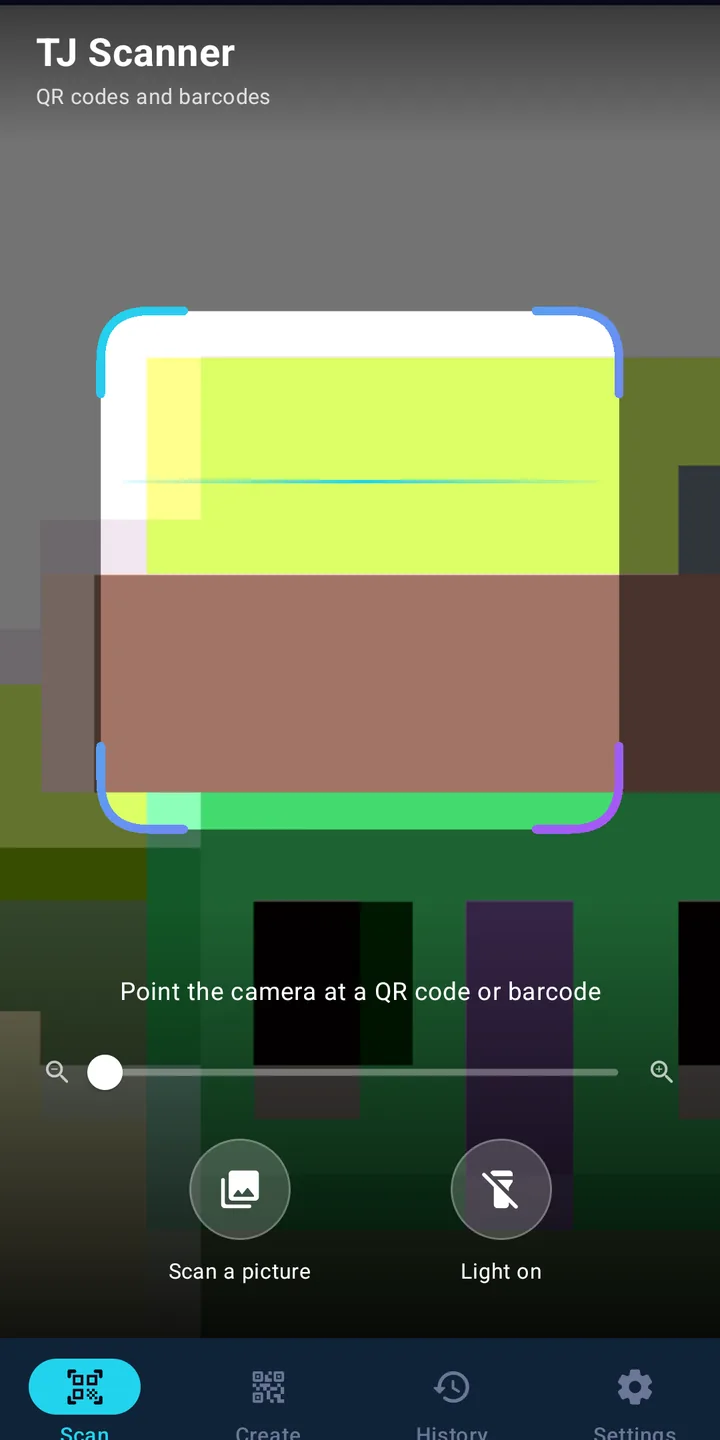
TJ Scanner is a fast, private QR code and barcode scanner. Point the camera or pick a picture, and it reads the code on your phone and offers the right action – open a link, join Wi-Fi, call, add a contact or hand a UPI code to your payment app. Your history stays on your phone, and nothing you scan is ever uploaded.
TJ Scanner does one job and does it well: it reads codes. QR codes on menus, posters, bills and Wi-Fi cards; barcodes on products and parcels; even the dense codes on tickets and ID cards. Everything is decoded on your phone by the open-source ZXing library – no Google Play services, no ads and no account.
Every common code
QR, Data Matrix, Aztec, PDF417, EAN-13, EAN-8, UPC-A, UPC-E, Code 128, Code 39, Code 93, Codabar, ITF and GS1 DataBar. White-on-black codes, small codes and barcodes held sideways are read too. Use the torch, zoom or tap to focus in low light.
The right action, only when you tap
TJ Scanner recognises what a code holds and shows it clearly first: links with their full address (with a warning when a link is not secure), Wi-Fi networks with their password, phone numbers, emails, SMS, map locations, contact cards, calendar events and UPI payment codes. Nothing opens by itself unless you choose that in Settings.
Scan from a picture
Got a QR code in a screenshot or a WhatsApp image? Tap Scan a picture, or share the image to TJ Scanner from your gallery.
Make your own QR codes
Create QR codes for text, links, Wi-Fi, phone numbers, email and SMS. Share the picture straight away or save it to your gallery.
History that stays with you
Every scan is kept in History on your phone – search it, star the ones you need, share one or several, delete one, delete a few or clear everything. Prefer no history at all? Turn it off.
Private by design
What you scan or create is never sent to us. The only thing the app sends is an anonymous once-a-day count (a random install number, the app version and the Android version) so we know how many people use TJ Scanner – and you can switch even that off.
- Updated on
- Released on
- Version
- 1.0
- Requires Android
- 8.0 and up
- Download size
- 1.8 MB
- Offered by
- TJ Prime
Everything in TJ Scanner
All common codes
QR, Data Matrix, Aztec, PDF417, EAN, UPC, Code 128/39/93 and more.
Scan from pictures
Screenshots, photos or images shared from any app.
Smart actions
Open links, join Wi-Fi, call, email, add contacts or events.
UPI codes
See the payee and amount, then open your own UPI app to pay.
QR code maker
Text, links, Wi-Fi, phone, email and SMS – share or save.
Private history
Search, star, share or delete. Kept only on your phone.
Safety first
See the full link before it opens; warnings for insecure links.
Works offline
Codes are decoded on the phone – no internet needed.
No ads, no sign-in
No trackers, no account, no Google Play services.
What's new
Version 1.0 · 17 Nov 2026
- First release of TJ Scanner for Android.
- QR and barcode scanning with torch, zoom and tap to focus; scan from pictures.
- Smart actions, QR code maker and a private history you can search, share and delete.
Data safety
Safety starts with understanding how developers collect and share your data. This is what TJ Scanner does.
Reviews 0
Every review is anonymous. We never ask for your name, number or email.
No reviews yet. Be the first to tell others what you think.
Questions and answers
Is TJ Scanner free?
Yes. TJ Scanner is free, with no ads, no sign-up and no in-app purchases.
Does it upload what I scan?
No. Codes are decoded on your phone and history is kept only on your phone. The only thing sent is an anonymous daily install count, which you can turn off in Settings.
Which codes can it read?
QR codes, Data Matrix, Aztec, PDF417, EAN-13, EAN-8, UPC-A, UPC-E, Code 128, Code 39, Code 93, Codabar, ITF and GS1 DataBar.
Is it safe to scan payment (UPI) QR codes?
TJ Scanner shows the payee name, UPI ID and amount, then hands the code to your own UPI app, where you check and approve it. TJ Scanner never makes payments itself.
Is TJ Scanner on Google Play?
Not yet. TJ Scanner will be published on Google Play soon. Until then you can download the official APK safely from this page. Every APK here is signed by TJ Prime; you can check its SHA-256 fingerprint in the install guide.
How do I install the APK?
Tap Download APK, open the downloaded file and allow "Install unknown apps" for your browser when Android asks. Then tap Install. You only need to allow it once.
Which phones can use it?
Any Android phone with Android 8.0 or newer. The download is about 1.9 MB.